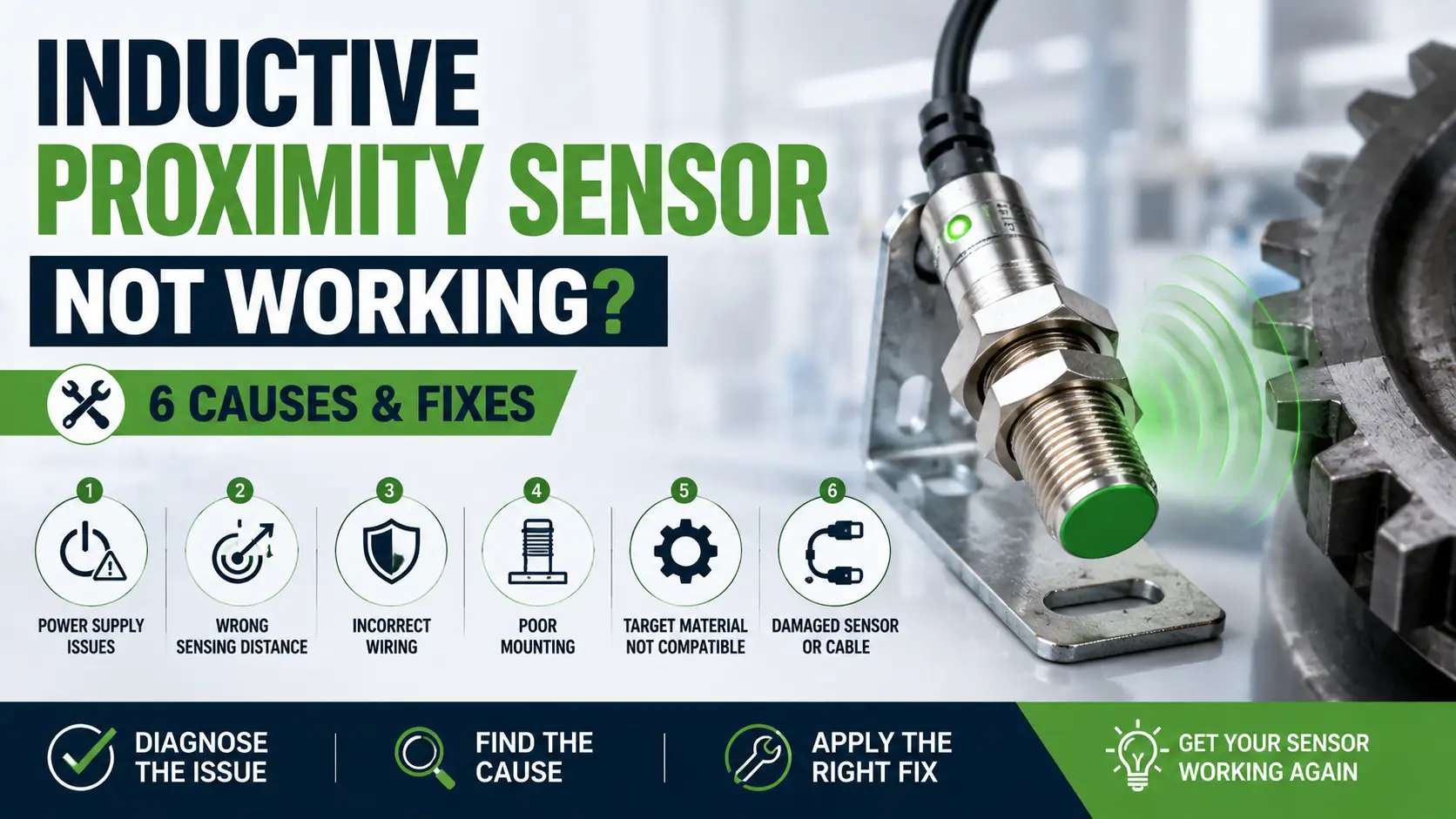
Inductive Proximity Sensor Not Working? 6 Causes & Fixes
An inductive proximity sensor that won't detect, or detects unreliably, is usually a target that's out of range or the wrong material, not a failed sensor — these devices are solid-state with no moving parts and are genuinely reliable once installed correctly. The most common real-world fault is actually the sensing distance itself: a target sitting just outside the rated range, or a non-ferrous metal that reduces effective range compared with the mild-steel figure quoted on the datasheet.
Here are the six most common reasons a proximity sensor stops detecting reliably, and what to check before assuming the sensor itself has failed.
Why "Rated Range" Isn't the Same as "Guaranteed Range"
A sensor's stated sensing distance is measured against a standard mild-steel target of a defined size, centred on the sensing axis, under standard temperature. Move away from any of those conditions and effective range drops: a smaller-than-standard target reduces range, a non-ferrous metal (aluminium, brass, stainless steel) reduces range further because it induces weaker eddy currents than mild steel, and manufacturers typically de-rate the safe reliable operating distance to a percentage of the rated range specifically to build in margin for real-world installation tolerances.
6 Causes of Unreliable Proximity Sensor Detection
Target Just Outside the Effective Sensing Range
The single most common cause, especially after a mechanical adjustment on the machine has shifted the target's actual travel path by even a few millimetres. Measure the real gap between sensor face and target at closest approach, and compare it against the sensor's safe (de-rated) operating distance, not the maximum rated figure.
Non-Ferrous or Undersized Target Reducing Effective Range
Aluminium, brass, and stainless steel all induce weaker eddy currents than the mild-steel reference target the datasheet range is based on, cutting effective range noticeably. If the target material or size doesn't match the datasheet's reference conditions, either move the sensor closer, choose a longer-range sensor, or specify a "factor 1" sensor corrected for all metals.
Metal Mounting Bracket Interfering With the Sensing Field
Flush-mountable sensors are designed to have metal right up to their sensing face without triggering falsely; non-flush-mountable ("non-embeddable") sensors need a specified clear zone of non-metal around the sensing face, and mounting one in a metal bracket without that clearance produces false triggering or reduced range. Confirm which mounting type is fitted and whether the installation respects its clearance requirements.
Two Sensors Mounted Too Close Together (Mutual Interference)
Two inductive sensors mounted close to each other, especially facing or side-by-side, can interfere with each other's oscillating field and produce erratic or false switching on either or both. Manufacturers specify a minimum separation distance between sensors of the same type for exactly this reason — check it against the actual installation.
Wiring Fault or Wrong Output Configuration (PNP vs NPN)
A PNP sensor wired into a circuit expecting NPN output (or vice versa) will appear completely dead even though it's mechanically and electronically perfectly healthy. Confirm the sensor's output type matches what the PLC input or control circuit expects, and check for damaged or reversed supply wiring before assuming an internal fault.
Genuine Internal Failure From Impact or Overvoltage
Real internal failures do happen — typically from physical impact damage to the sensing face, moisture ingress through a damaged housing, or an output driver destroyed by switching a load beyond its rated current, or by a supply transient without adequate protection. Confirmed by ruling out every cause above and substituting a known-good sensor of the same type.
Quick Reference: Symptom, Likely Cause & What to Check
| Symptom | Most Likely Cause | Quick Check |
|---|---|---|
| Detects intermittently after a machine adjustment | Target near the edge of effective range | Measure actual gap vs. safe operating distance |
| Range noticeably shorter than datasheet quotes | Non-ferrous or undersized target | Check target material/size against reference conditions |
| False triggering with no target present | Metal mounting bracket without clearance, or nearby sensor interference | Check mounting clearance and separation from other sensors |
| Sensor appears completely dead, no output ever | Wrong output type (PNP/NPN) or wiring fault | Confirm output type matches the receiving circuit |
Frequently Asked Questions
Why does the sensor's LED light up correctly but the PLC never sees a signal?
This points at a wiring or output-type mismatch rather than a sensing problem — if the sensor's own indicator confirms it's detecting the target correctly, the fault is downstream, in the wiring or the receiving input's configuration (PNP/NPN, voltage level).
What does "flush" vs "non-flush" mounting actually mean?
Flush (embeddable) sensors can be mounted with metal right up to and around the sensing face without false triggering, useful in tight spaces. Non-flush (non-embeddable) sensors need a clear, non-metallic zone around the sensing face but generally achieve a longer sensing range for the same body size — the trade-off is mounting flexibility versus range.
Can vibration or temperature cause a proximity sensor to fail?
Vibration itself doesn't typically damage a solid-state proximity sensor, though it can loosen its mounting and shift the target gap over time. Extreme temperature outside the sensor's rated range can affect its electronics and switching accuracy — check the rated operating temperature range against the actual installation environment.
Is a shorter sensing range sensor more reliable than a longer-range one?
Not inherently, but a sensor operated well within its rated range — rather than near the edge of it — is more tolerant of small installation variations, temperature drift, and target material differences, which is why sizing with margin rather than to the exact minimum matters.
How do I know if I need a "factor 1" (all-metal) sensor?
If the application involves multiple different target metals, or a non-ferrous metal where consistent sensing distance matters, a factor 1 sensor removes the guesswork by sensing all common metals at the same rated distance — standard sensors are cheaper but their range varies significantly by target material.
Related Reading
Shop the Parts
| Product | Use | Link |
|---|---|---|
| ifm electronic IE5317 Inductive Proximity Sensor, M8, PNP, 4mm | Standard metal-target detection replacement | View product → |
| ifm electronic IE5203 Inductive Proximity Sensor, M8, PNP/NPN, 1mm | Compact sensing with selectable output type | View product → |
| Full sensor range | Browse by sensing range, output type and mounting style | Browse sensors → |
| All genuine ifm electronic products | Proximity sensors and industrial automation components | View all ifm electronic products → |
Disclaimer: ifm electronic, and any other manufacturer or brand names referenced in this article, are used solely for identification and compatibility purposes. Z&F Corporation is not affiliated with, authorised by, or an official representative of these manufacturers; all trademarks are the property of their respective owners.